See the decision in front of you
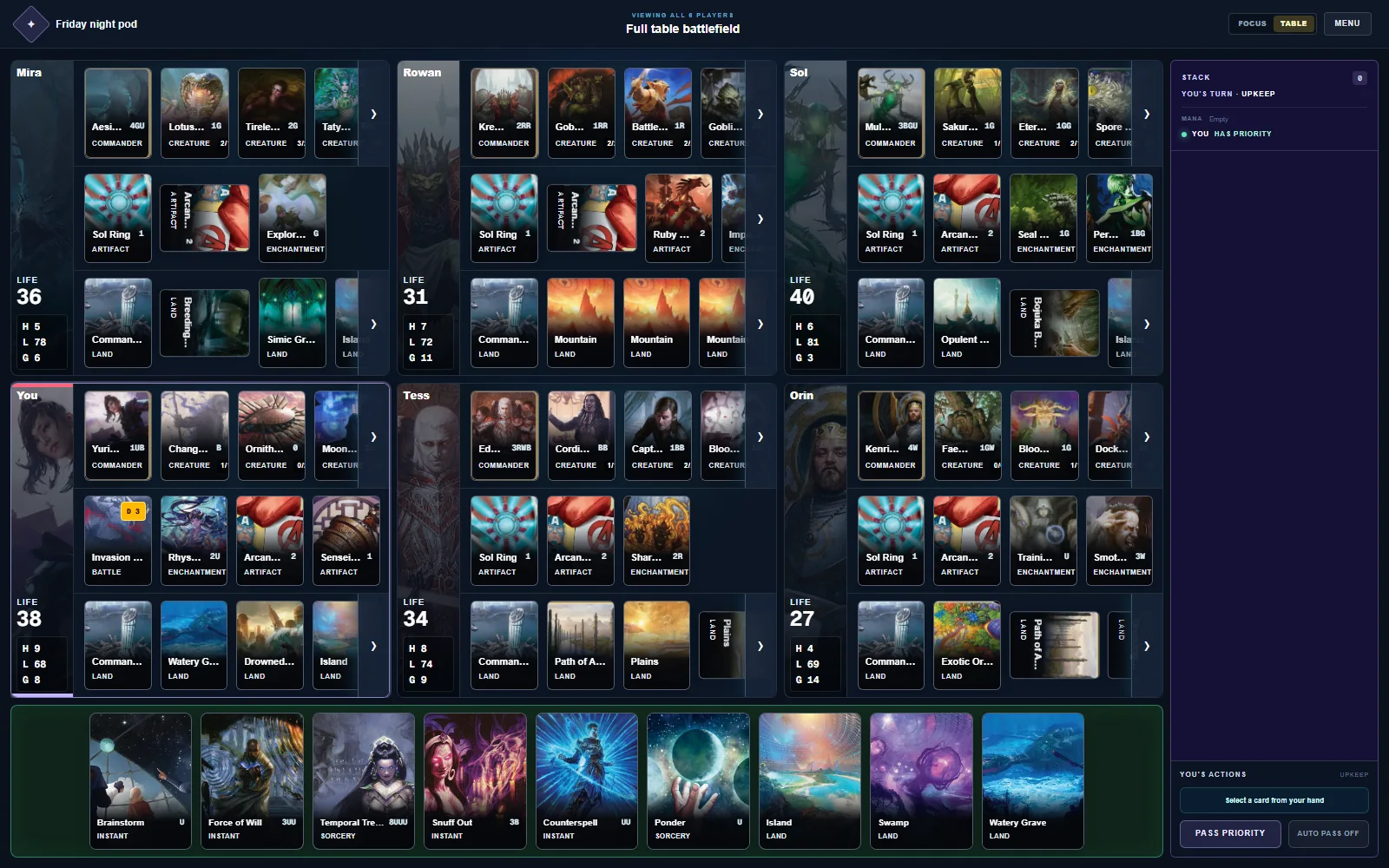
Focus View gives one battlefield room to breathe. Table View brings the entire pod back into view with one click.
No download. Find a pod and play.
Spellrelay is a browser table for testing Magic decks and playing Commander online. Paste a list, start in seconds, and keep every board, choice, and private hand where it belongs.
Actual test table
Focus View
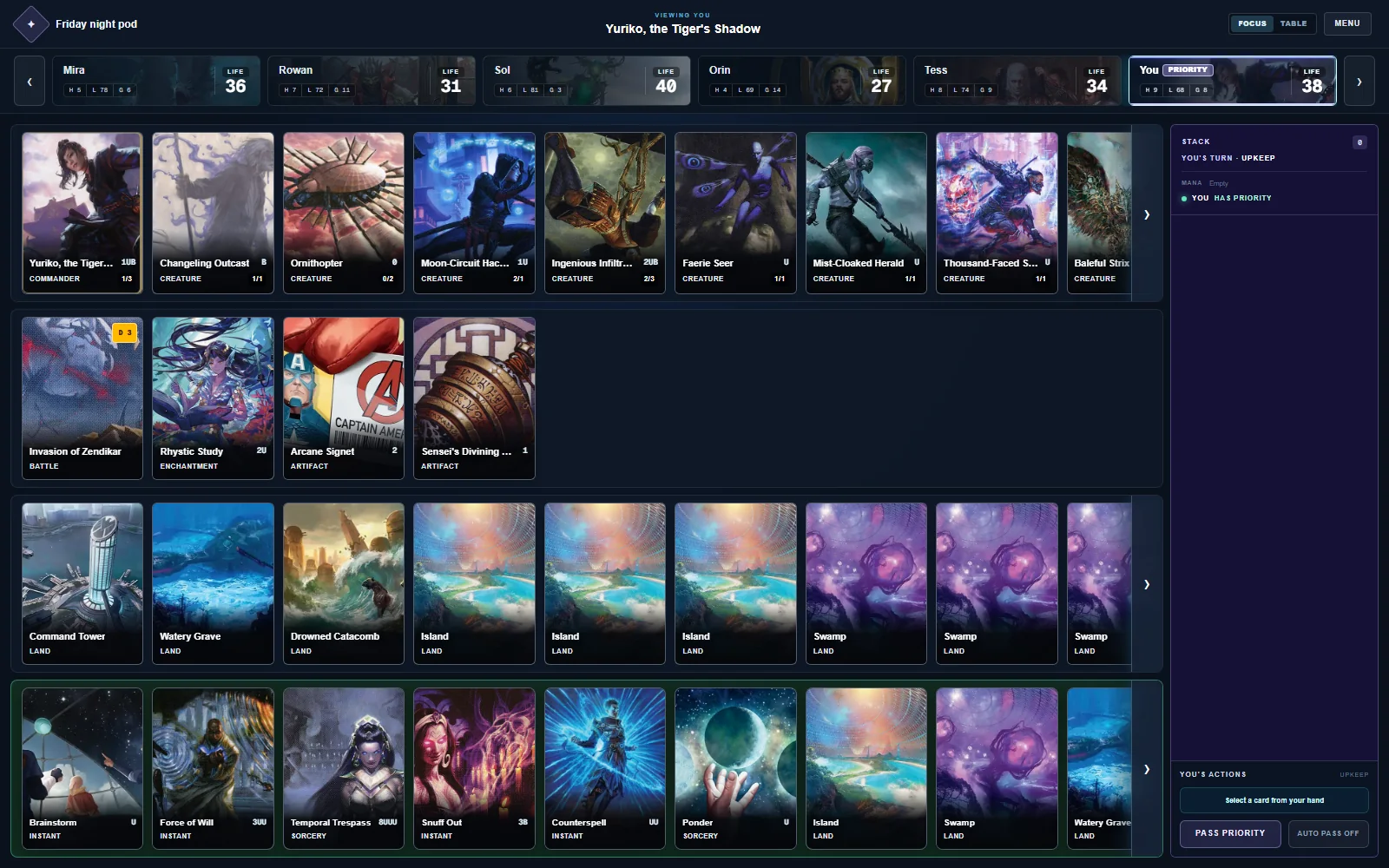
Give one battlefield the room it needs
Brewing tonight?
Test opening hands and turn sequences while the idea is still fresh.
Pod cannot meet?
Open a private browser table and bring game night online.
Board getting crowded?
Move between one clear battlefield and the complete table.
Built around the next play
A good deck test should reveal how your list draws, curves, recovers, and closes. It should not become a memory test for zones, priority, and four separate boards.
Focus View gives one battlefield room to breathe. Table View brings the entire pod back into view with one click.
Priority, the stack, life totals, zones, and pending choices stay visible while you decide the next play.
Each player sees their own hand and choices without exposing hidden cards to the rest of the table.
The quiet work stays quiet
The table organizes the information that slows a game down without trying to make the interesting choices for you.
Browse lobbiesChoose the table that helps
From list to first draw
No download. Sign in, bring a saved deck, and decide whether this is a focused test or game night.
Paste the list you want to understand, from a rough brew to your next Commander deck.
Test alone immediately or open a private game and invite your pod.
Draw, sequence, respond, and see what the deck actually asks you to solve.
Before you take a seat
Yes. Open a table, bring a deck list, and work through opening hands and real turn sequences without waiting for a pod.
Yes. Accounts protect private hands, reconnect you to your seat, and keep saved decks attached to the right player.
Yes. Start a private browser table and invite your pod. Spellrelay keeps the shared board state visible while each hand stays private.
No. Spellrelay is an unofficial browser table for deck testing and online play. It does not reproduce official Wizards products or content.
Focus View gives one battlefield more room for detailed decisions. Table View shows every player at once so you can read the whole pod.
The next draw is waiting
Find an open table or create one for your pod. This browser keeps your guest seat connected, while an account adds persistent decks and history.
Browse lobbiesNo account required.